
Welcome to nappi. Here's the short version of what the app can do, in roughly the order you'll discover it.
One tap from anywhere
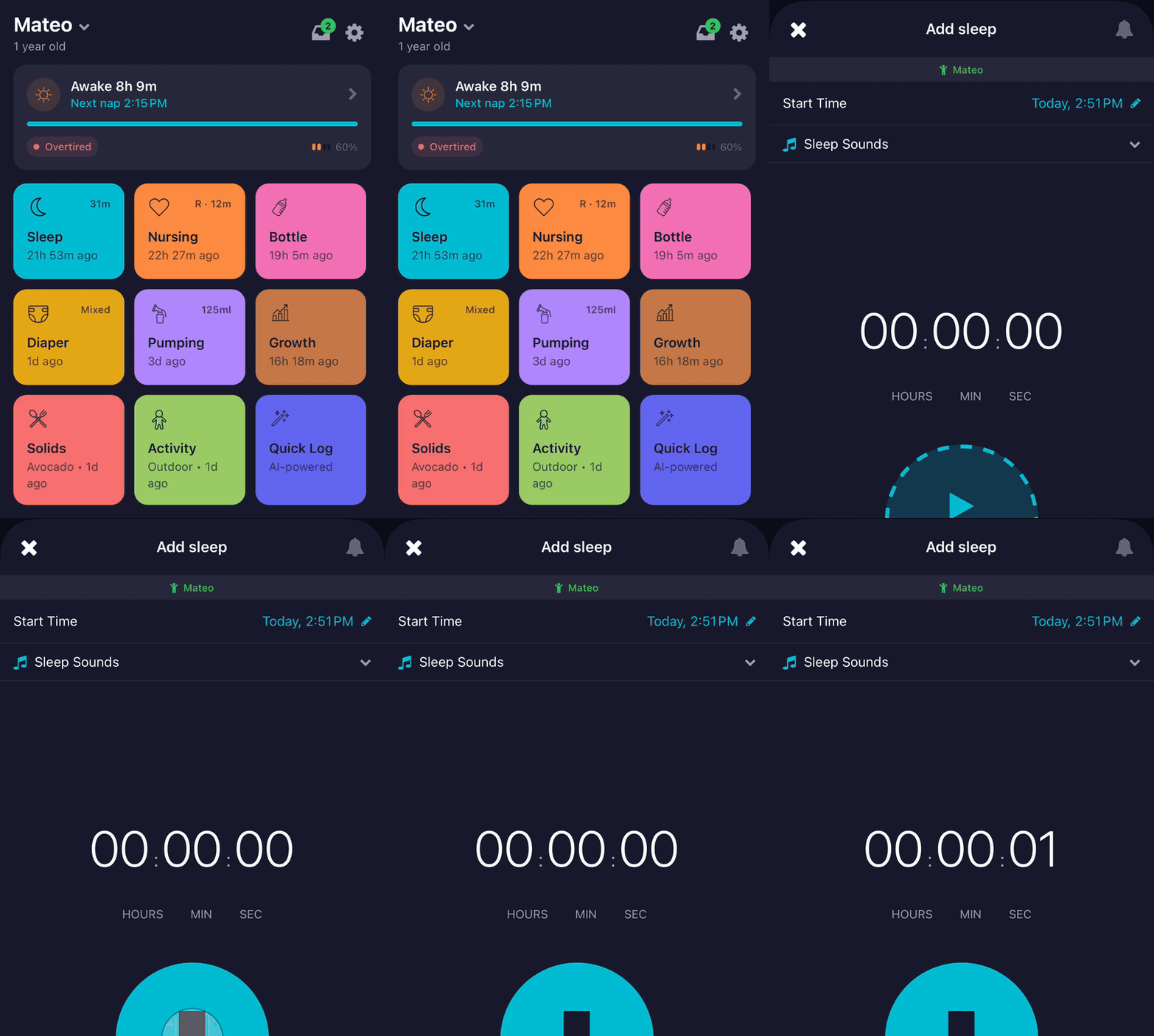
The Home screen's colored circles are your shortcuts. Tap Sleep to start a nap, tap Bottle to log an ounce. Long-press any of them to open a fuller form with extra fields like side, amount, or notes. Most days you'll only need the taps.
SleepSense estimates when the next nap is coming
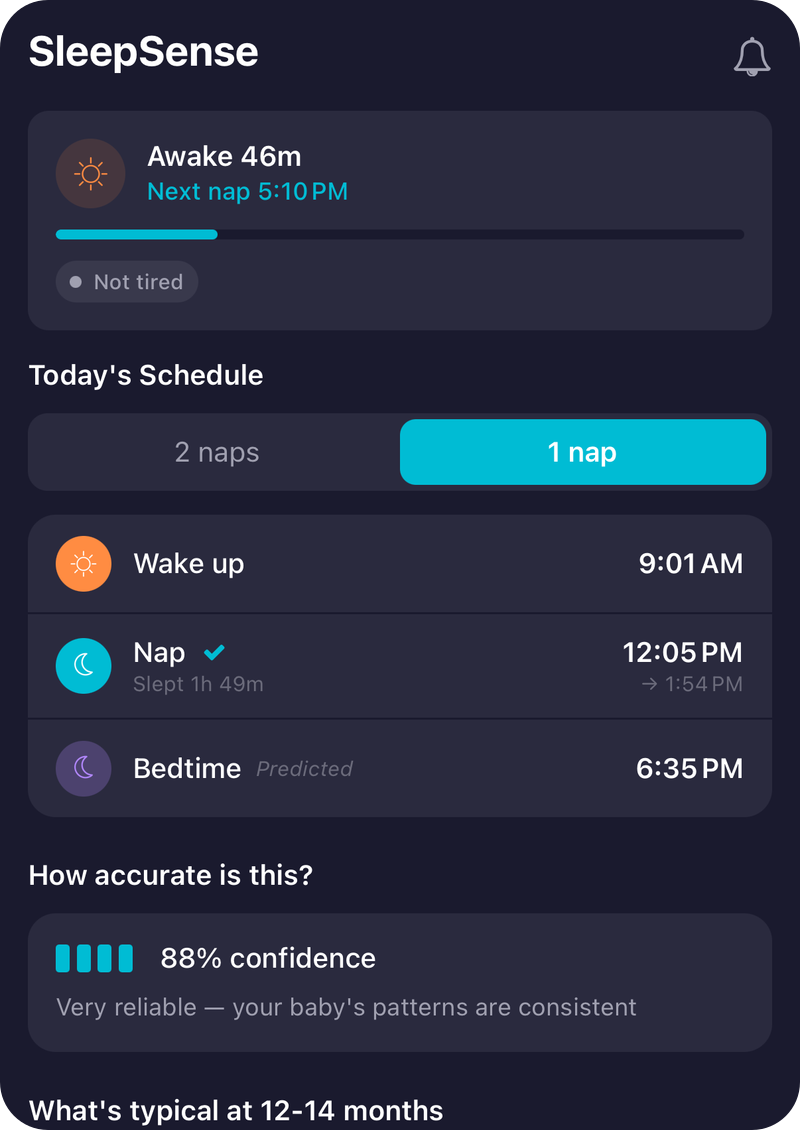
Once you've logged a few sleeps, nappi starts predicting when the next nap window will open. The countdown lives at the top of Home; the SleepSense tab shows the full day's plan and a Prediction Quality meter so you can see how reliable the numbers are. The math is age-aware, so it shifts as your baby grows.
These are estimates, not instructions. nappi never tells you to wake your baby or to put them down at a specific minute. If your baby is happy past the predicted window, that's fine. The schedule is there to help you spot a pattern, not to override what you can see in front of you.
Reports cover today, this week, and trends over time
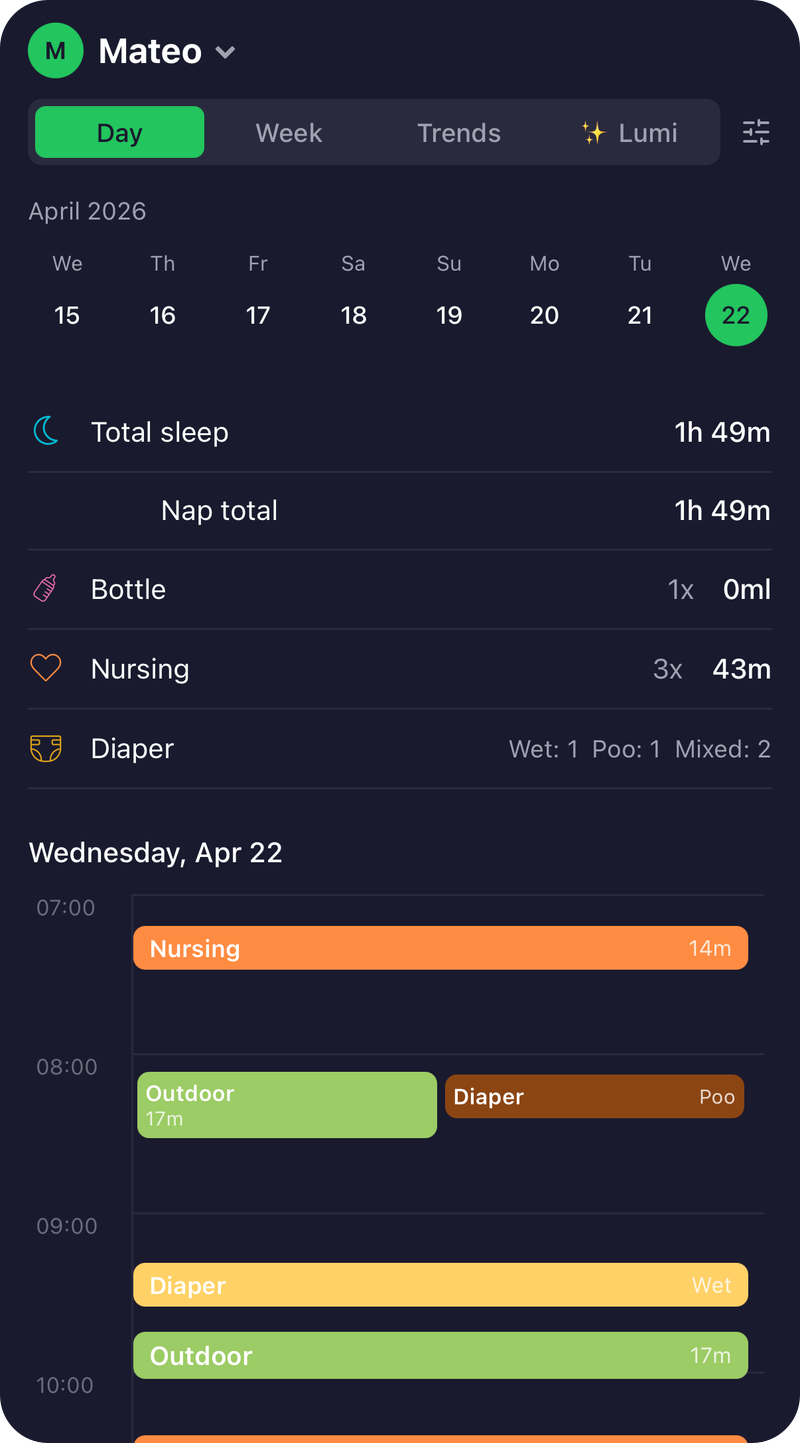
The Reports tab has four views.
- Day is today's timeline plus the running totals you'd want at a glance: total sleep, nursing minutes, bottle ml, diaper counts.
- Week is the digest nappi pushes you each Monday, with the previous week's activity in one card.
- Trends is where patterns surface. Pick a category (sleep, feeding, growth, diaper, pumping, activity, solids) and a window (7 days, 14, 30, 90, 1 year, all-time), and you get the chart for that span. Growth pulls WHO percentiles automatically.
- Lumi is the AI assistant. Ask "is my baby sleeping enough?" and it pulls from your actual data to answer.
Moments holds the photos and turns them into recaps
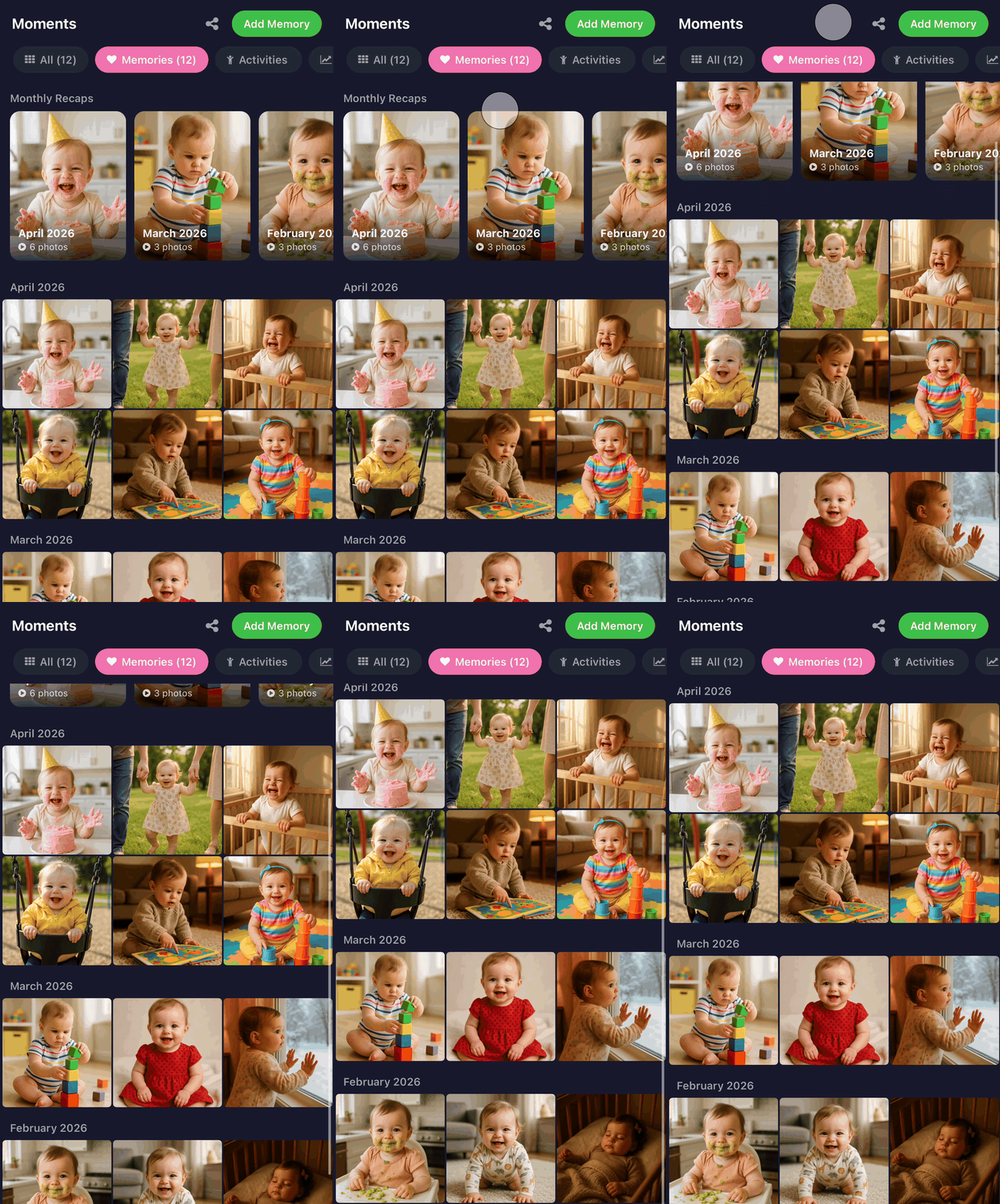
Drop in a photo when something is worth remembering. The grid groups by month and you can filter by category (memories, milestones, growth, activities). Moments also auto-builds a monthly recap for any month with three or more memory photos: a video slideshow with music, ready to export or share.
If you want to send photos to grandparents who don't use the app, open any baby's share menu and create a PIN-protected web link. They get a clean read-only gallery at nappi.app, gated by a 4-digit code, with an expiry you set (7 days through never).
The Baby tab is everything that's about your child, not today
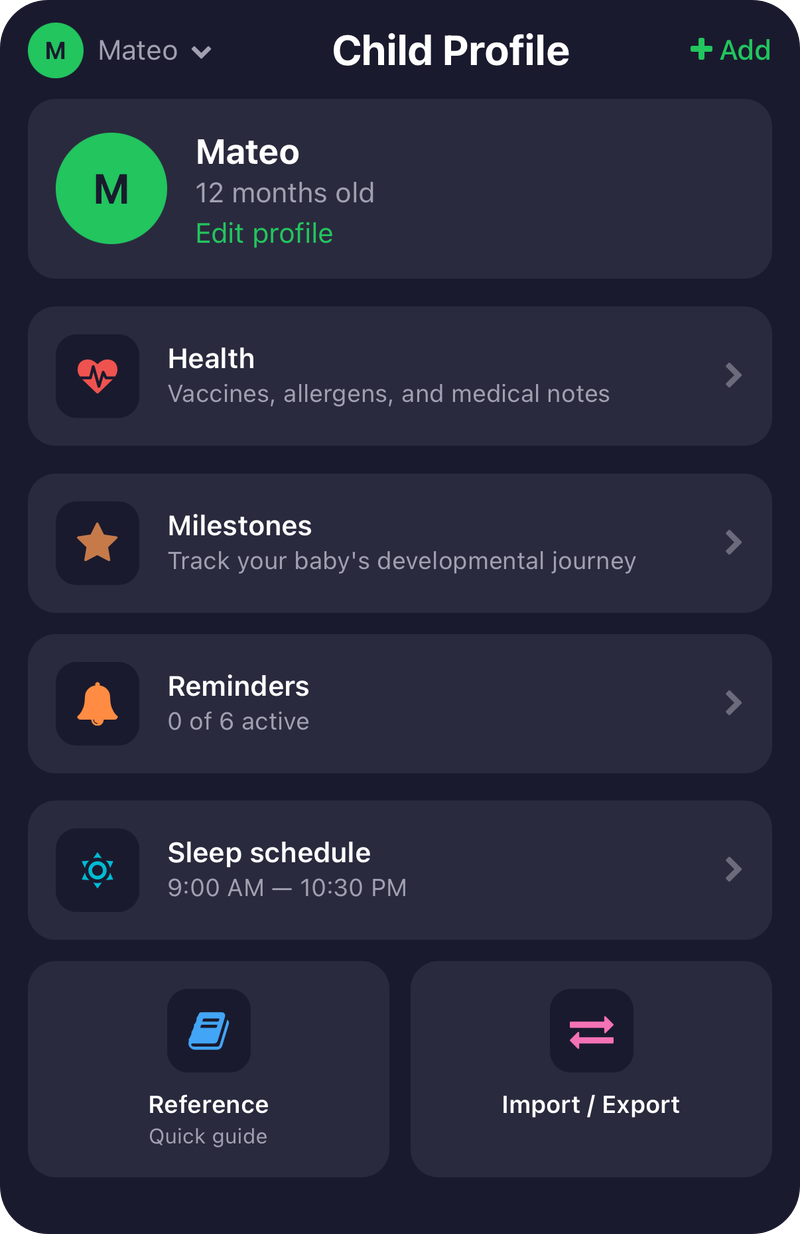
Tap Baby in the tab bar for the things that don't change hour to hour: their profile, their long-running history, the alerts you want to receive. A few worth knowing about:
- Milestones: log when they roll, sit, walk. Each entry stamps the date and surfaces age-typical ranges. If your baby is doing something months early, you'll see that. If something seems delayed, you'll see that too.
- Health: vaccines and allergen introductions in one place. Useful when a doctor asks "when did you start peanuts?" or "did they get the 4-month shots yet?".
- Reminders: six types (sleep, nursing, bottle, pumping, diaper, solids), each with its own interval. Off by default. Flip on the ones that match how you actually want to be nudged.
- Sleep schedule: set day-start and bedtime so SleepSense knows what counts as a nap vs. night sleep. Wrong here means everything downstream looks wrong.
- Reference: age-bracketed sleep, feeding, and development guidelines. Quick check during a 3 AM "is this normal?" moment.
- First 100 foods: a grid that fills in as you log solids. Hits a small celebration at 10, 25, 50, 75, and 100.
The Watch is for the 3 AM tap
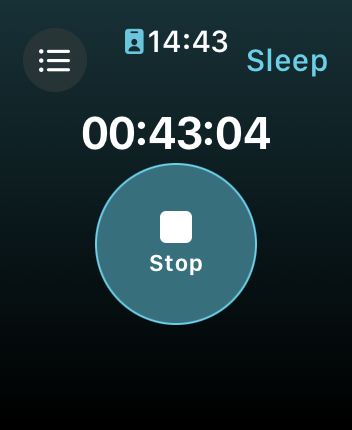
If you have an Apple Watch, install the nappi watch app from your watch's App Store. On Wear OS, the watch app ships bundled with the phone install, so it shows up on your watch automatically. Either way, you can start a feed or a sleep without picking up your phone. On iPhone, a Live Activity shows the running session on your lock screen with a progress ring you can tap to stop.
Everyone in the household sees the same thing
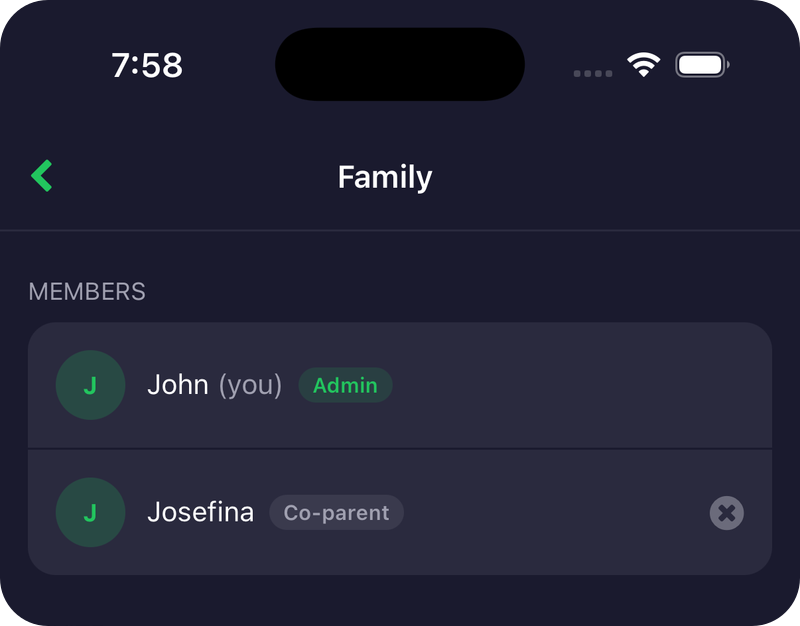
Invite your partner, a grandparent, or a nanny from Settings → Family. Their entries appear on your phone instantly, and yours on theirs. Same baby, same data. No exports needed.
A few extras worth knowing
You can switch the app to Spanish, Portuguese, Italian, French, or German in Settings. Track more than one baby with a single account. And if you ever want a clean handoff to a pediatrician, the export options are under the Baby tab too.
That's the whole tour. Tap around, log a few entries, and the patterns will surface within about a week. We're rooting for you.